Every server you run, on one page. Nothing else installed on them.
One small agent on each server dials out to your panel. See load and alerts for all of them, and open a terminal, files or Docker on any one. Free for every server.
curl -fsSL https://unpanel.codenav.dev/install.sh | sudo bash Linux with systemd · x86_64 and arm64 · Node.js 24What the installer does
- CPU
- 75%
- Memory
- 88%
- Swap
- 31%
- Storage
- 77%
One page for each job
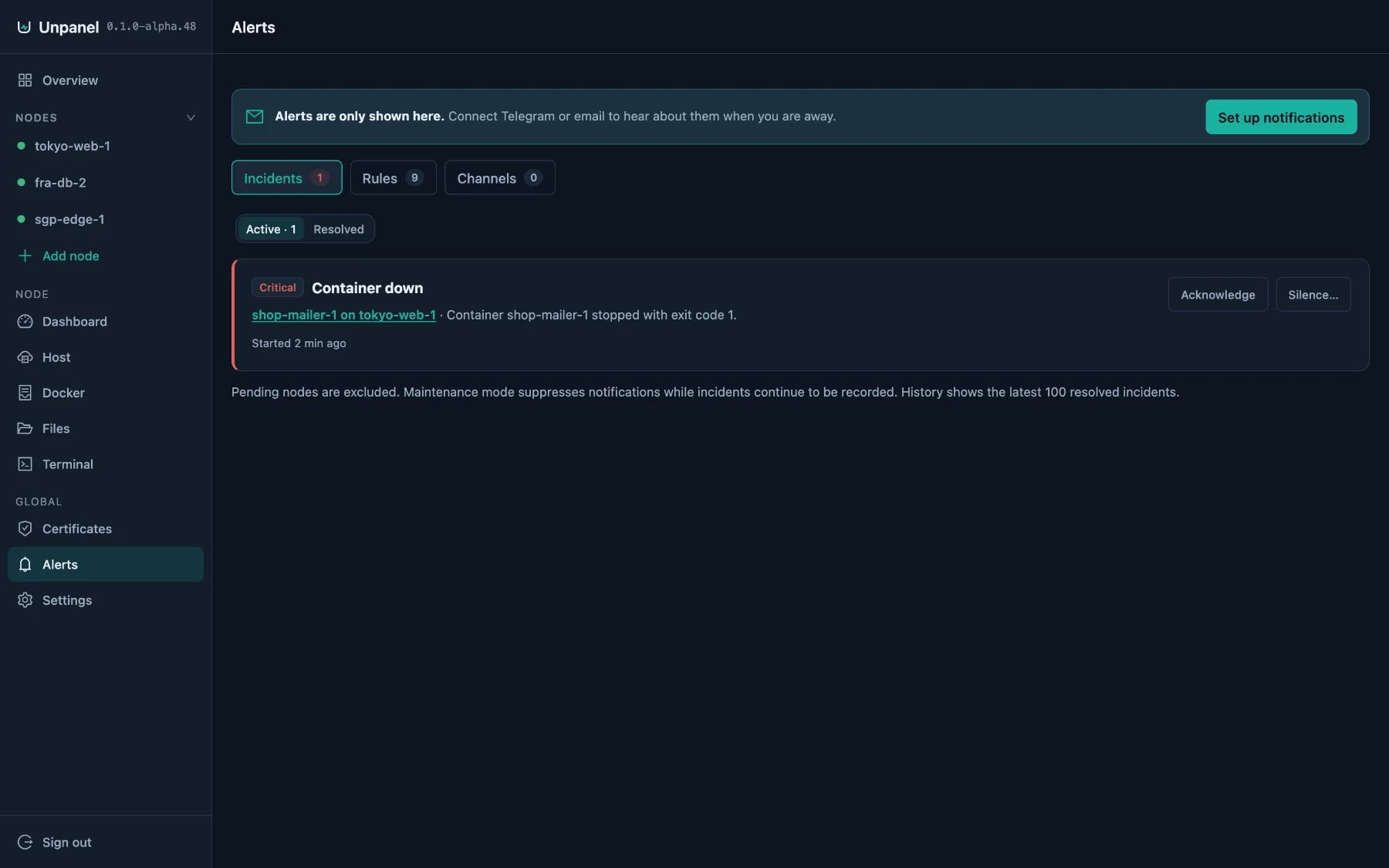
Screens from a real panel managing a small shop: a web server, an API, Postgres and Redis in Docker.
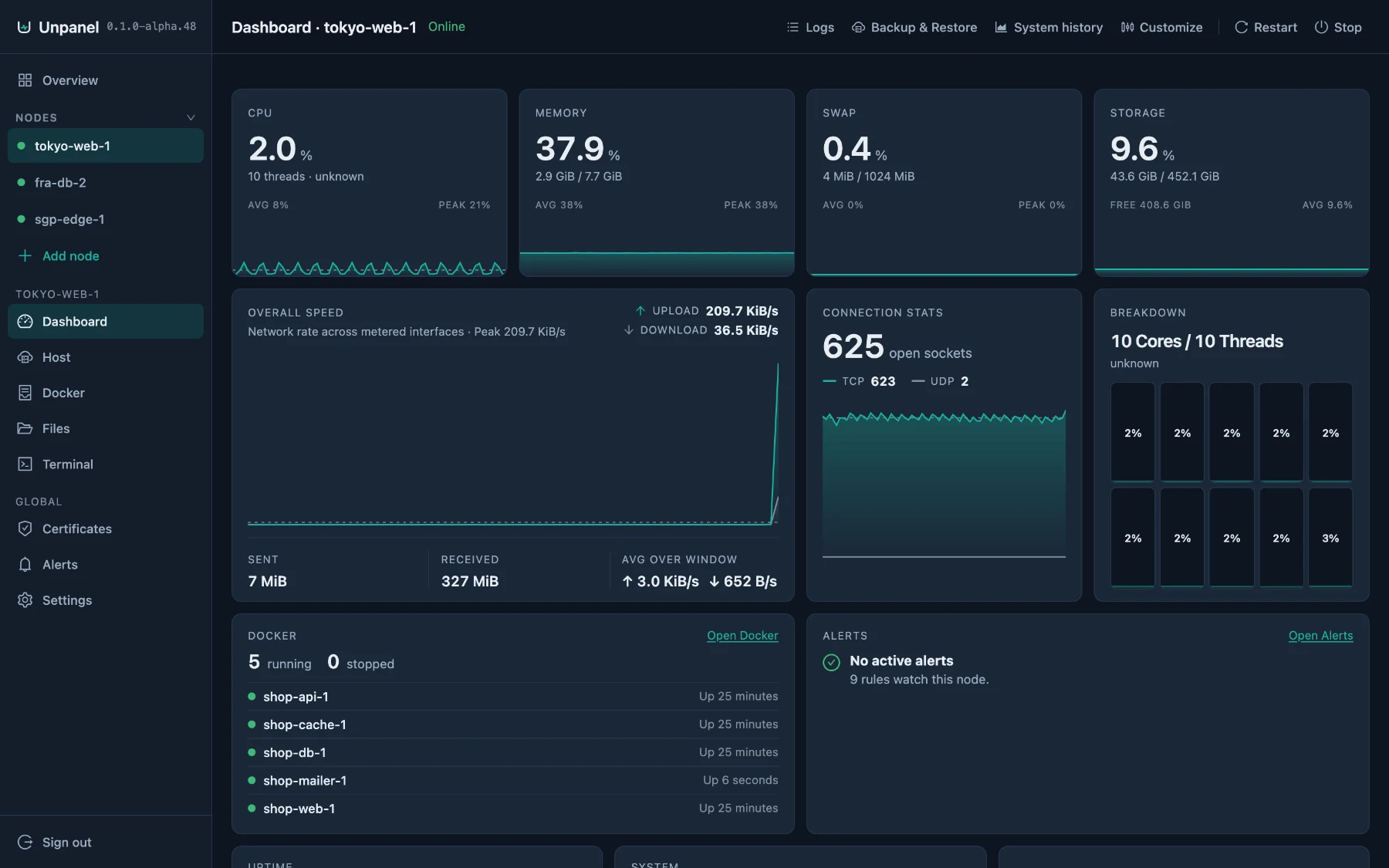
Know what a server is doing
CPU, memory, swap and storage with average and peak, throughput, connections, Docker and alerts on one screen. Move, resize or remove any card.
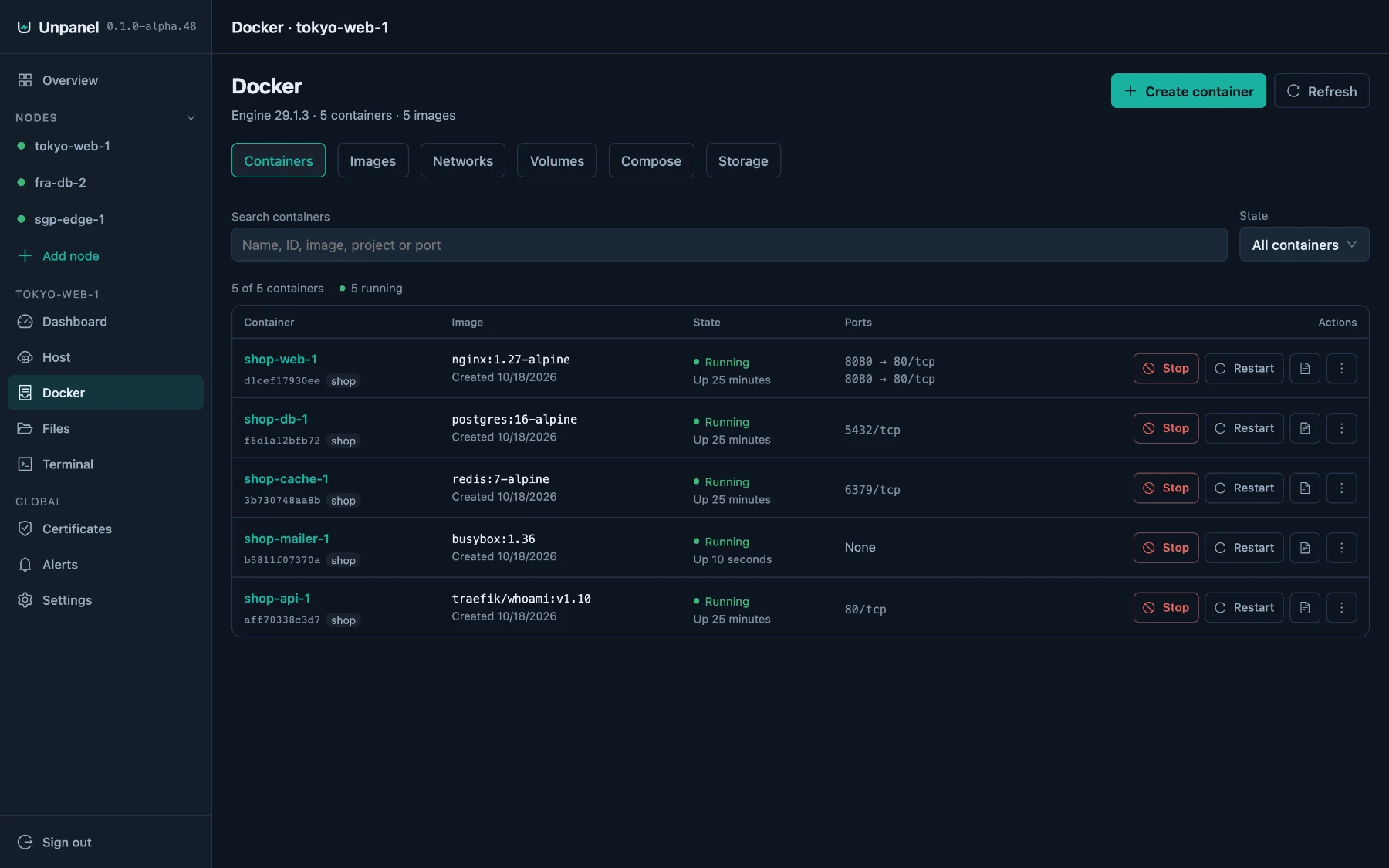
Run the containers you already have
Containers, images, networks, volumes and Compose stacks. Logs, a shell and live stats for each container, and an alert when one crashes.
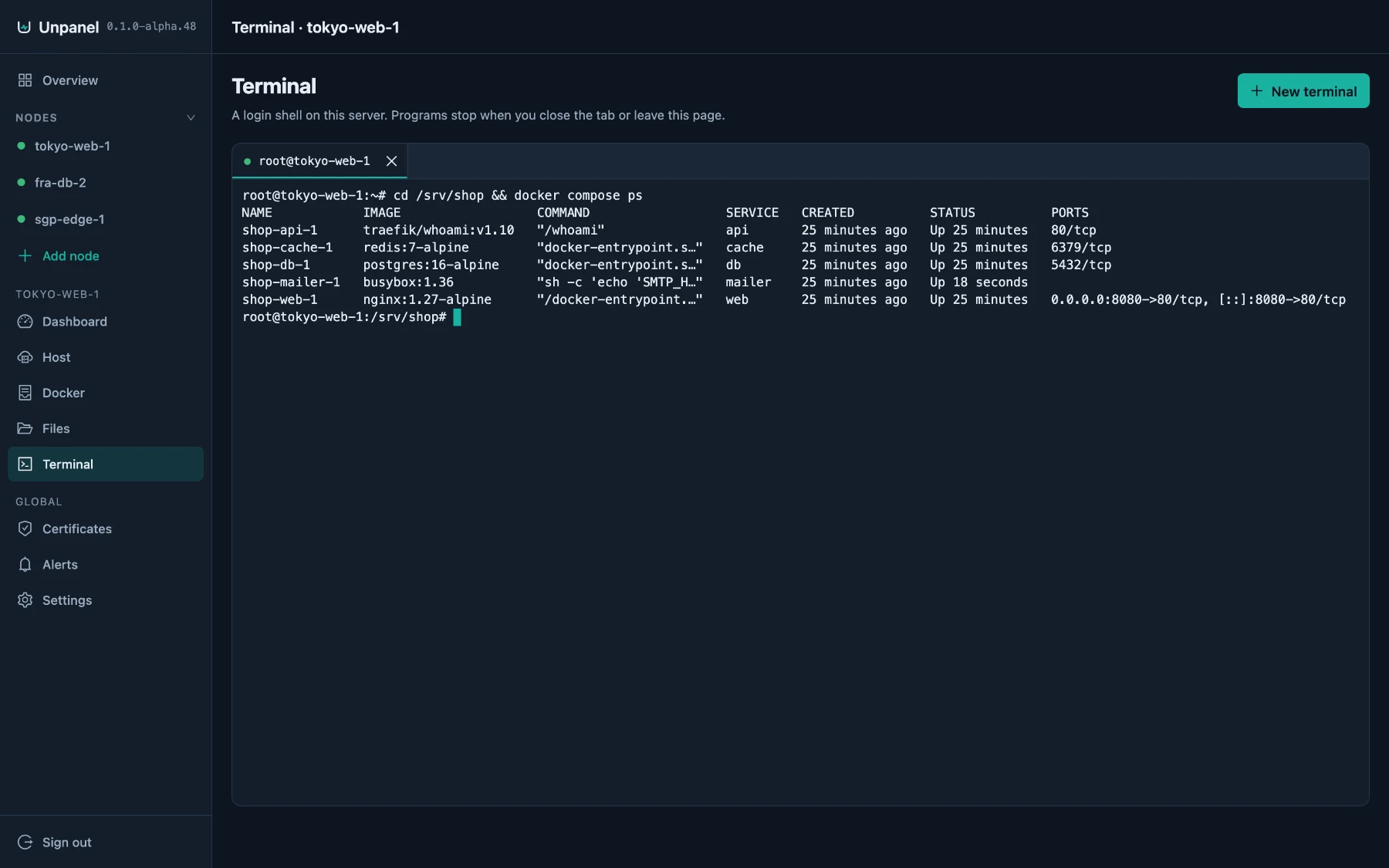
A shell on any server, in the browser
Sessions as tabs, links that open on click and a key bar on phones. Each session is recorded in Audit with the account, address and duration.
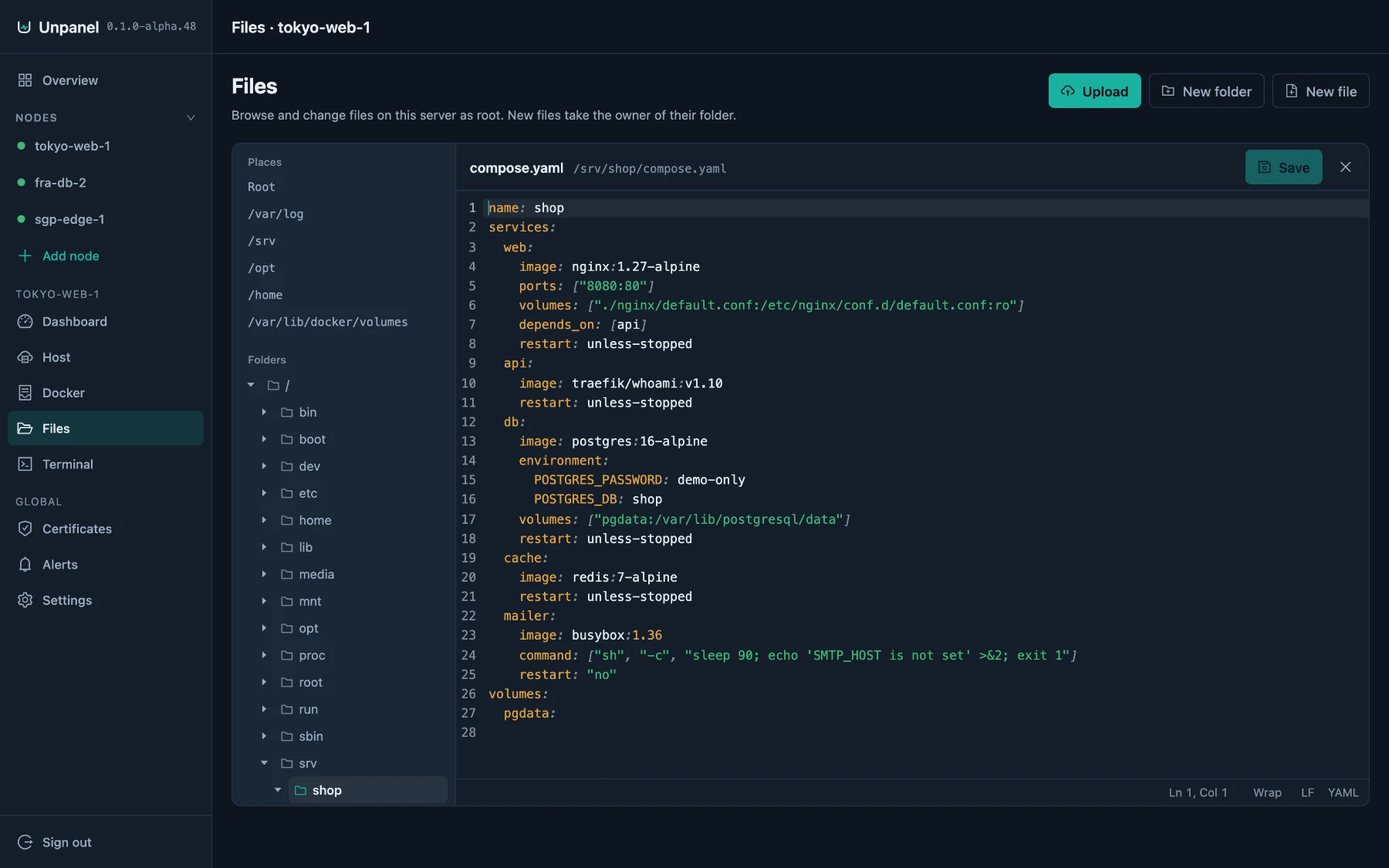
Edit files where they live
Browse, upload up to 2 GiB, drag to move, compress and extract. If a file changed on the server while you edited it, you see both versions before saving.
Hear about it before your users do
Disks filling up, containers crashing, certificates expiring, servers going offline. A warning first, then critical, by Telegram or email.
Nothing else installed
What a default install leaves on a fresh Ubuntu 22.04, measured with the same script for every panel.
One square per 10 MB. The dim squares are Node.js 24, the runtime Unpanel runs on.
- to install; aaPanel and BaoTa take 13 to 15 min
- 27 s
- processes run as root
- 1 of 2
- ports opened on managed servers
- 0
Servers dial out to the panel
Add node gives you one command. The agent it installs opens a connection to your panel and keeps it open, so a server needs no open port, and one behind NAT or a home router works too.
- No inbound port
- Nothing listens on a managed server. The agent connects out over WebSocket with TLS and checks the panel's key.
- Follows the panel
- Move the panel to a new address and every online agent checks it, saves it and keeps the old one as a fallback.
- Same page for every server
- The panel's own machine is the first node. Every server you add gets the same dashboard, terminal, files and Docker.
Root stays behind a door
The web process runs as its own unprivileged user. Privileged work goes to the agent as named, checked requests, and there is no endpoint that runs an arbitrary command.
- Passkeys and two-factor sign-in from the first run, with recovery codes
- Team roles scoped to the servers each person may touch
- Turn the terminal off on any server with
UNPANEL_TERMINAL=off - Files always refuses
/etc/shadowand Unpanel's own keys
Updates in under two seconds, undone if they fail
An update downloads 1.5 MB, checks its SHA-256 and switches over. If the new version does not answer its health check, the previous one is started again and your database is kept.
50 releases since October 2
Every release lists what changed. Hover or focus a mark to read it.
Next to the panels you know
Footprint measured with one script on one host, vendor facts from their own pages and code. Rows where Unpanel loses stay in.
| Measurement | Unpanel | 1Panel | aaPanel | BaoTa |
|---|---|---|---|---|
| Cost and licence | ||||
| Managing several servers | Free | Pro licence per node | Free | Free |
| Licence | AGPL-3.0 | GPL-3.0 | Own licence, changes may not be published | Proprietary, no changes allowed |
| Adding servers | ||||
| What each managed server runs | An agent | An agent | The whole panel | The whole panel |
| Ports a managed server must accept | None | SSH and port 9999 | Its panel port, or SSH | Its panel port, or SSH |
| Joins from behind NAT Without port forwarding | Yes | No | No | No |
| What the install leaves | ||||
| Install Depends on the network | 27 s | 78 s | 15 min | 13 min |
| System packages added | 0 | 0 | 304 | 270 |
| New files under /etc | 7 | 4 | 421 | 397 |
| Disk used Unpanel also needs Node.js 24, another 203 MB | 9 MB | 205 MB | 1.7 GB | 1.2 GB |
| Privileges | ||||
| Processes running as root | 1 / 2 | 2 / 2 | 4 / 5 | 4 / 4 |
| Updates | ||||
| Update to the next release Measured 14 October on 0.1.0-alpha.41 | 1.4 s | 4.5 s | — | — |
| Update download | 1.5 MB | 61 MB | — | — |
| Panel offline during an update | 0.7 s | None seen | — | — |
| At idle | ||||
| Memory (PSS) | 132 MB | 144 MB | 96 MB | 72 MB |
Default install from each project's own instructions, one disposable systemd container per panel on the same arm64 host, measured on 18 October 2026: Unpanel 0.1.0-alpha.48, 1Panel v2.3.2 without Docker, aaPanel 8.0.7, BaoTa 13.1.0. Memory was read after five idle minutes. Updates ran on a 4-core arm64 cloud server, probing the panel every 0.2 s; aaPanel and BaoTa only install their latest release, so theirs was not measured. A dash means not measured or not applicable.
Run the benchmark yourself1Panel editions1Panel node managementBaoTa editionsaaPanel licence
What it does today, and what comes next
In 0.1.0-alpha.49
- Live and historical CPU, memory, disk and network for every server
- Docker containers, images, networks, volumes and Compose stacks
- A web terminal and a file manager
- Alerts by Telegram and email, including disk forecasts and crashed containers
- Let's Encrypt certificates, also behind an existing web server
- Passkeys, two-factor sign-in, team roles and an audit log
- One-click updates for the panel and every agent
Next
- systemd services and their logs
- Nginx sites with test and rollback
- PM2 processes
- Scheduled jobs
- Firewall changes that undo themselves unless confirmed
- Backups to S3 or WebDAV
- Node.js bundled with the release
Free. Every server, every feature.
1Panel sells multi-node management as a Pro licence for each node. Unpanel has one edition, and it stays whole.
No Pro or Enterprise tier
There will never be a paid edition with features this one lacks.
No server limit
Add every server you run and everyone on your team. None of it is an upgrade.
Nothing taken back
No feature moves behind payment. Every release is AGPL, so what you have stays yours.
Questions
It says pre-alpha. Can I use it?
On servers where you can tolerate rough edges, yes. Releases come every few days, each with a changelog, and a failed update restores the previous version with your data. Some modules are still missing; the list above says which.
What does it change on my server?
It installs into /opt/unpanel, keeps data in /var/lib/unpanel and settings in /etc/unpanel, and adds two systemd services and an unpanel user. It installs no system packages and does not touch your Nginx, Docker or cron configuration.
Why does it need Node.js 24?
The panel and the agent run on Node.js. Install Node.js 24 first, from your distribution's NodeSource packages or the official tarball. Bundling it with each release is planned, so this step will go away.
How do I remove it?
Stop and disable unpanel and unpanel-agent, then delete /opt/unpanel, /etc/unpanel, /var/lib/unpanel and the two unit files. An unpanel uninstall command is planned.
Does it send data anywhere?
There is no analytics or telemetry. The panel asks unpanel.codenav.dev and GitHub for new releases, and talks to Telegram or your email provider only after you set them up. Everything else stays on your panel's machine.
If it's free, how will it last?
Unpanel is built by CodeNav Ltd, and the one-edition promise is a recorded decision in the repository. The code is AGPL-3.0, so every released version stays yours to run, change and share.
Which systems are supported?
Linux with systemd on x86_64 or arm64: Debian 11 to 13 and Ubuntu 22.04 and 24.04. AlmaLinux and Rocky Linux 9 are best effort.
Install it in about half a minute
Run this as root on the server that should host the panel.
curl -fsSL https://unpanel.codenav.dev/install.sh | sudo bash - 1Downloads the release for your CPU and checks its SHA-256.
- 2Starts the panel and its local agent as two systemd services.
- 3Prints the panel's address and certificate fingerprint. Open it, create your account and turn on two-factor sign-in.
Then add each further server from Add node, with one command.